See profit on orders and products in Shopify
Sharpsum's blocks show an order's profit and a product's gross profit on their own pages in your Shopify admin.
-
Step 1
Open an order in Shopify
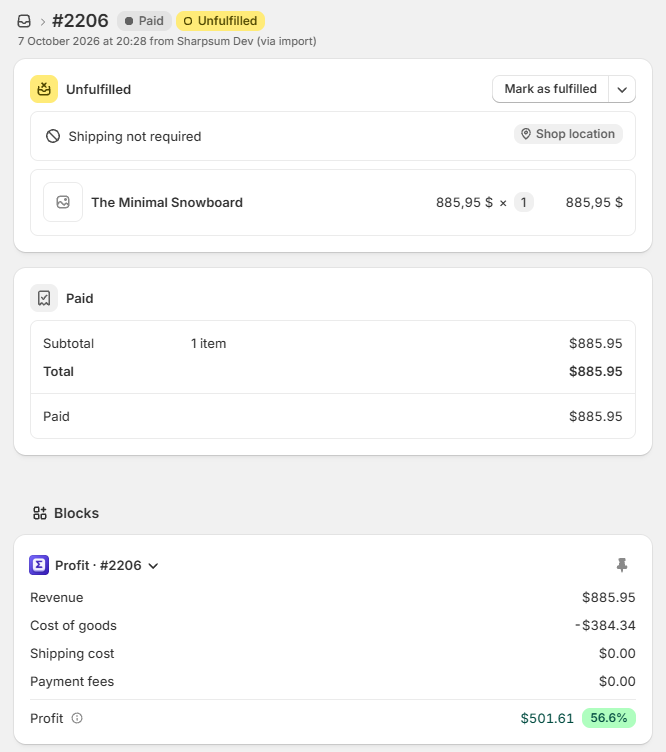
Open any order and go to Blocks at the bottom of its page.
-
Step 2
Add Sharpsum's block
Press + Block and choose Sharpsum. It shows the order's revenue, cost of goods, shipping cost, payment fees and profit with its margin.
-
Step 3
Do the same on a product
On a product's page, Sharpsum's block shows what it sold in the last 30 days, with its gross profit and margin.
-
Step 4
Read what each figure counts
The info icon beside a figure says what it counts. A block also says when part of a sale had no cost.
