Count shipping, handling and payment fees
What each order costs you to ship, pack and get paid for, counted the way you pay it.
-
Step 1
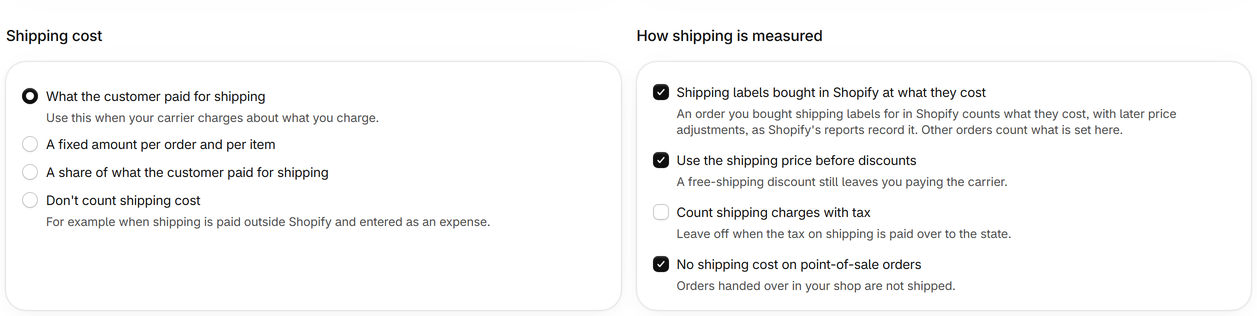
Shipping labels bought in Shopify
An order you bought shipping labels for in Shopify counts what they cost, with later price adjustments, as Shopify's reports record it. Settings can turn this off under How shipping is measured.
-
Step 2
Shipping cost of other orders
Choose what the customer paid for shipping, a fixed amount per order and per item, a share of the shipping charge, or none. Rates by destination give countries a cost of their own, by order value, number of items, weight or shipping charged.
-
Step 3
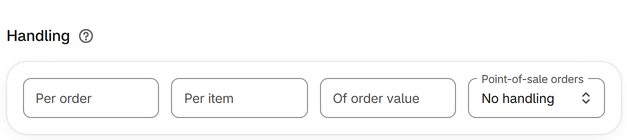
Handling
Packing materials and work: an amount per order, per item and a share of the order's value. Point-of-sale orders can have none.
-
Step 4
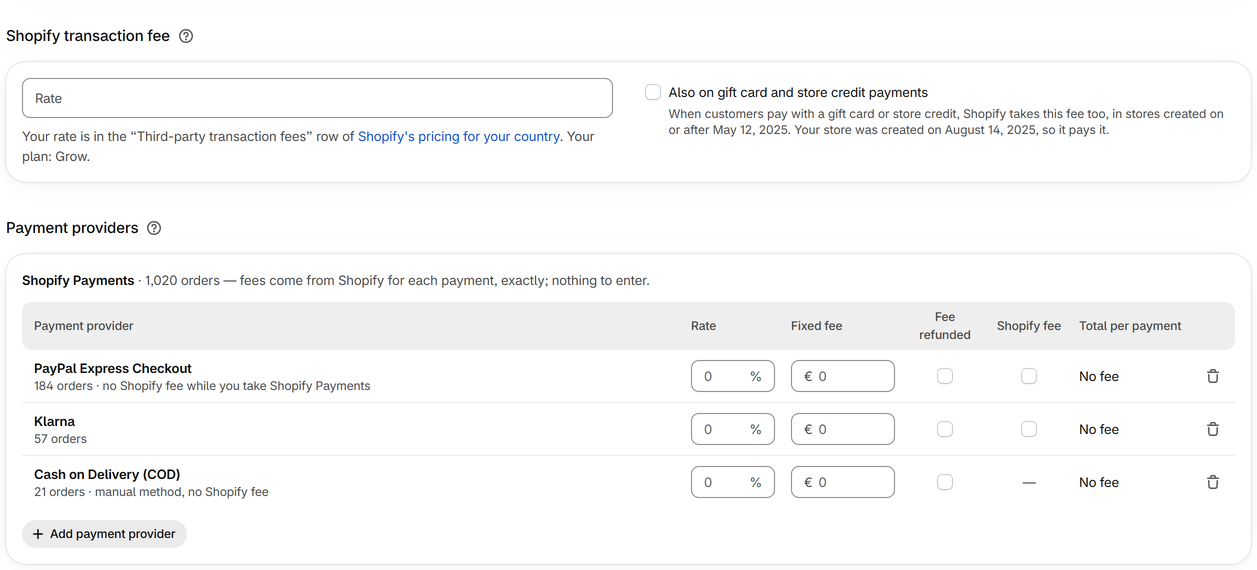
Payment fees
Shopify Payments fees are read for each payment, exactly. Every other provider your orders were paid through is listed under Payment providers: enter its rate as in your contract.
-
Step 5
Currency conversion and Managed Markets
When Shopify charges an order for converting currency or for Managed Markets, Sharpsum takes that order's fees from Shopify's fees report, day by day, so each fee counts once.


