Find what earns and what loses
Gross profit and margin for each product, and profit for each order, sales channel and country.
-
Step 1
Choose what to group by
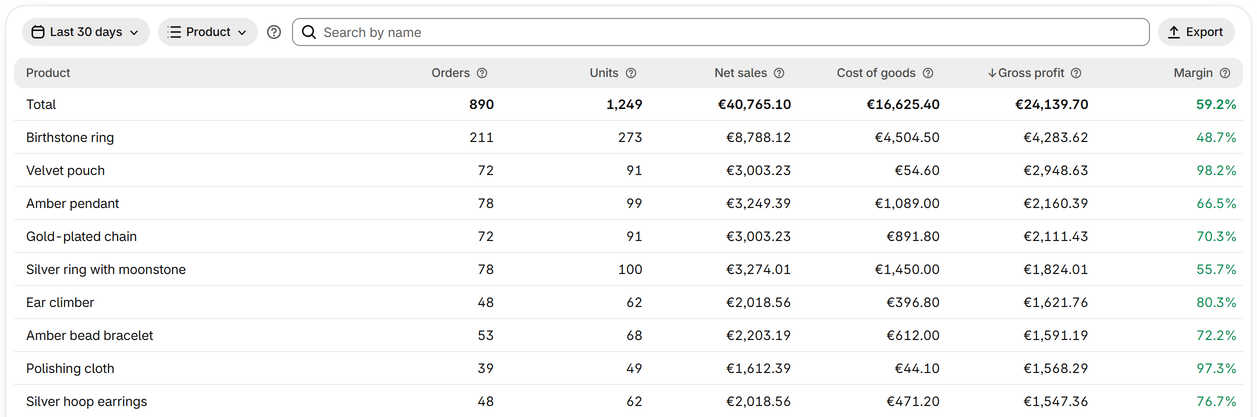
On Reports, choose the days and group by product, variant, product type, vendor, tag, collection, sales channel, POS location, country or order.
-
Step 2
Sort to find the best and the worst
Press a column's heading to sort by it, such as Gross profit or Margin; on a phone, choose the order above the list. Search finds a product by its name, and a variant by its SKU.
-
Step 3
Watch for No cost
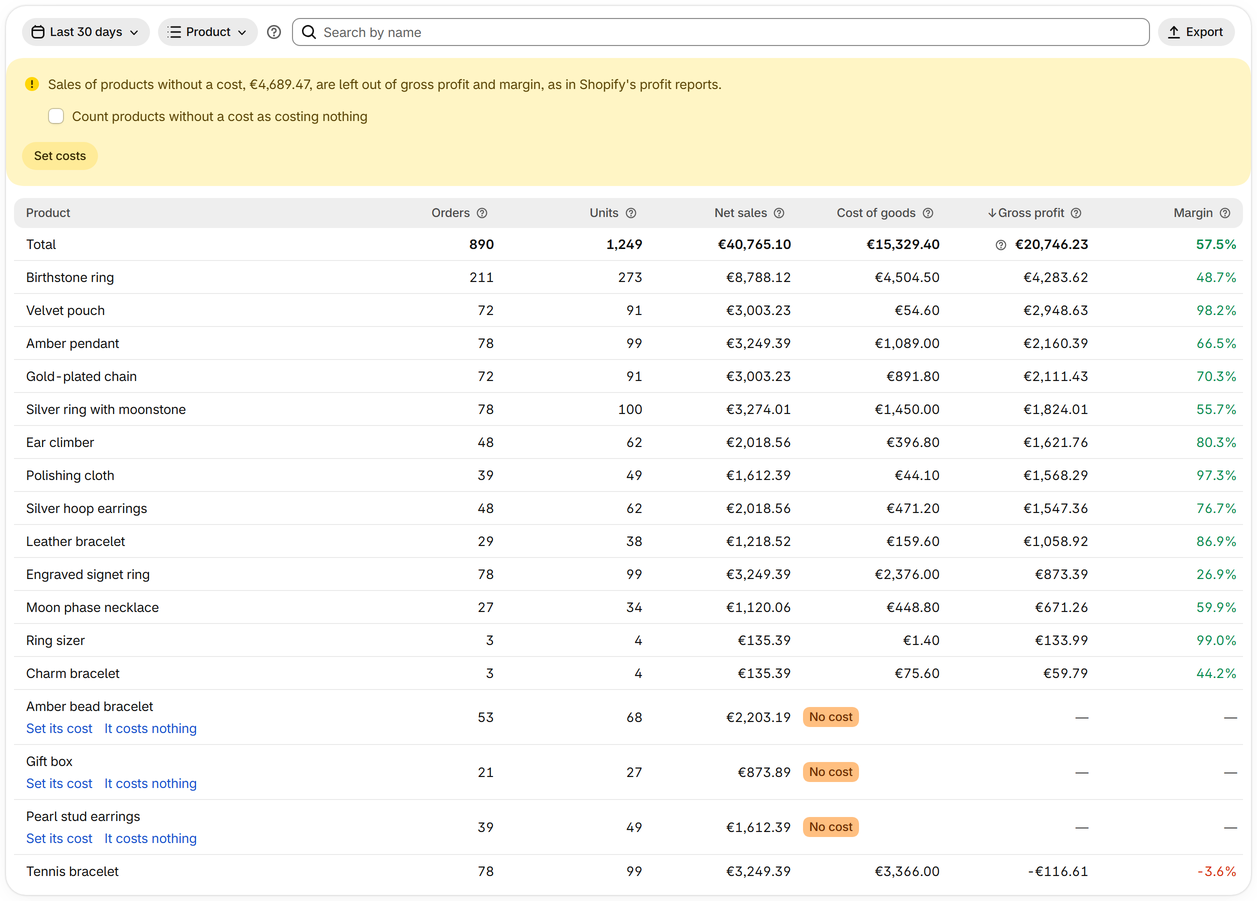
A product without a cost shows No cost, and its sales stay out of gross profit and margin, as in Shopify's profit reports. Its row lets you set its cost, or mark it as costing nothing.
-
Step 4
See each order's profit
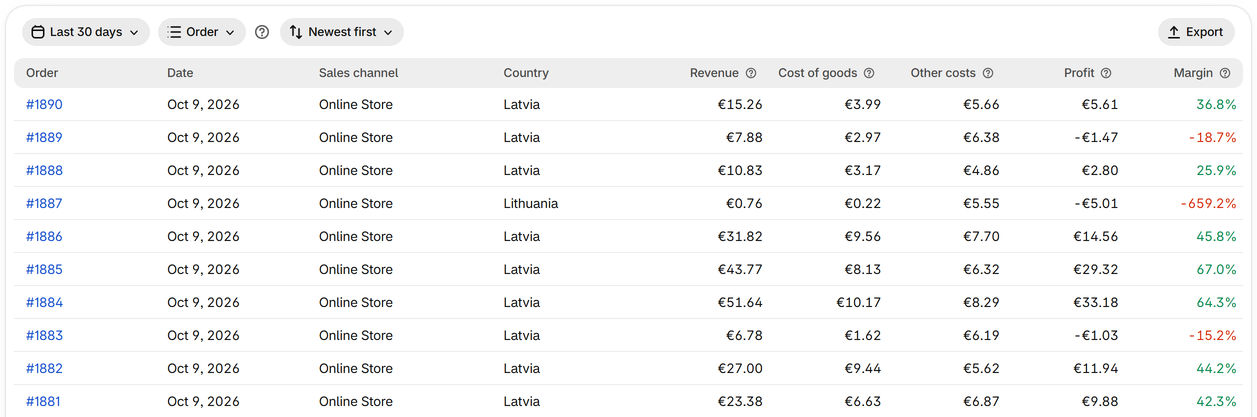
Group by order to see every order of those days with its profit before ad spend and expenses, newest first or by least or most profit. Open an order to see it in Shopify.
-
Step 5
Export the table
Export saves the table as you see it as a CSV file that Excel, Numbers and Google Sheets open.


