Count ad spend, and read ROAS and POAS
Connect your ad accounts once: Sharpsum reads their spend every day and shows what each account earns you.
-
Step 1
Connect Meta Ads and Google Ads
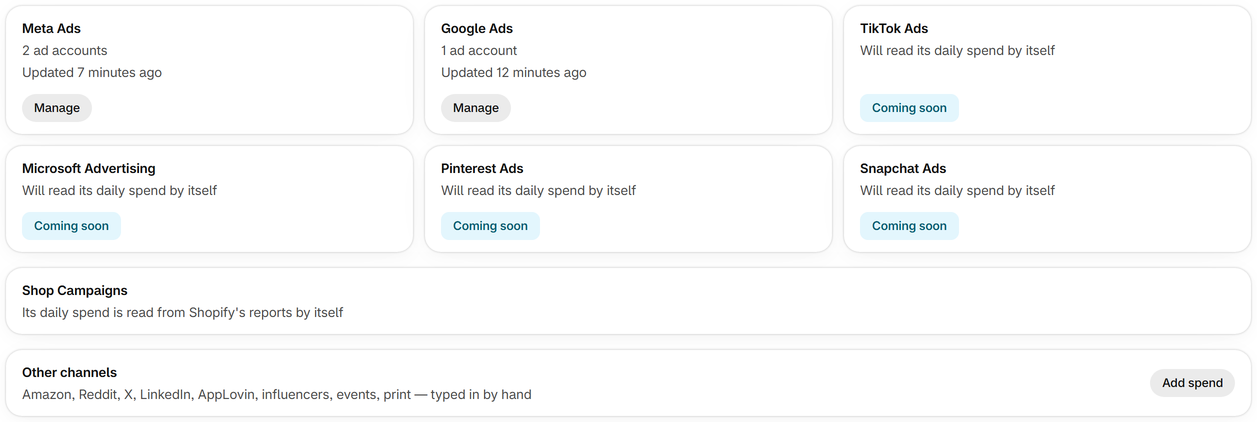
On Ad spend, press Connect, sign in with the account that runs your ads and tick the ad accounts to count. Their spend is read automatically and comes off profit on the day it was spent.
-
Step 2
Shop Campaigns count automatically
If your store runs Shop Campaigns, Shopify's ads in the Shop app, their spend, orders and sales come from Shopify's reports, with nothing to connect.
-
Step 3
Type in other channels
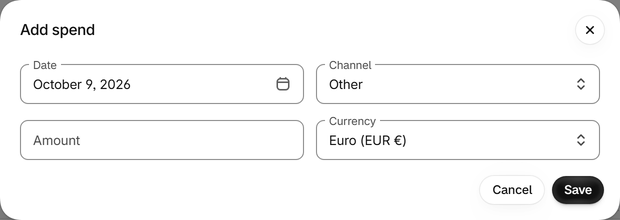
For TikTok, Pinterest, Snapchat, Microsoft, Amazon or any other channel, such as influencers, events or print, press Add spend and enter the day, the channel and the amount, in any currency.
-
Step 4
Read ROAS and POAS
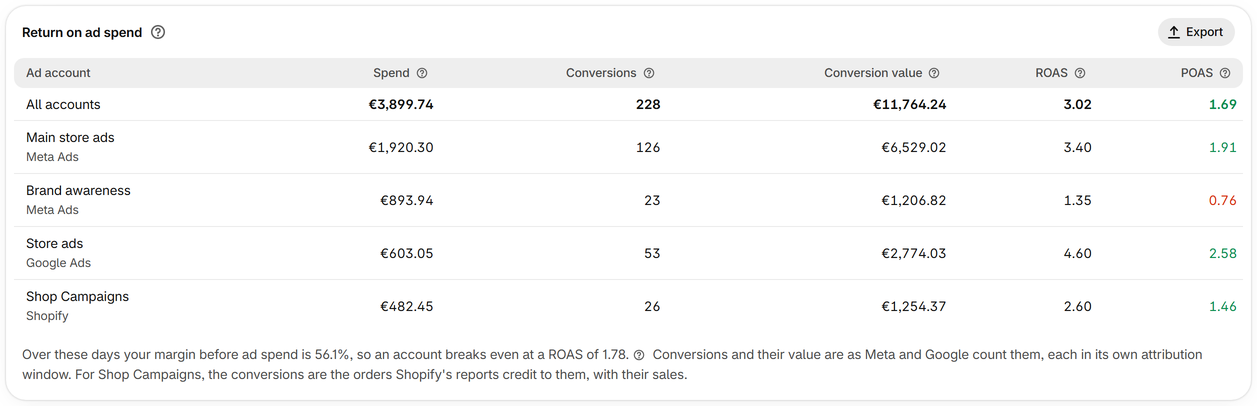
Return on ad spend shows each account's spend, conversions, conversion value, ROAS and POAS. ROAS counts sales and POAS counts profit: above 1 an account earns more than it costs, below 1 it loses money.
-
Step 5
Know your break-even ROAS
Under the table, Sharpsum gives your margin before ad spend over the days you look at, and the ROAS at which an account breaks even. Below it, an account costs more than it brings in.
-
Step 6
See ads in your profit
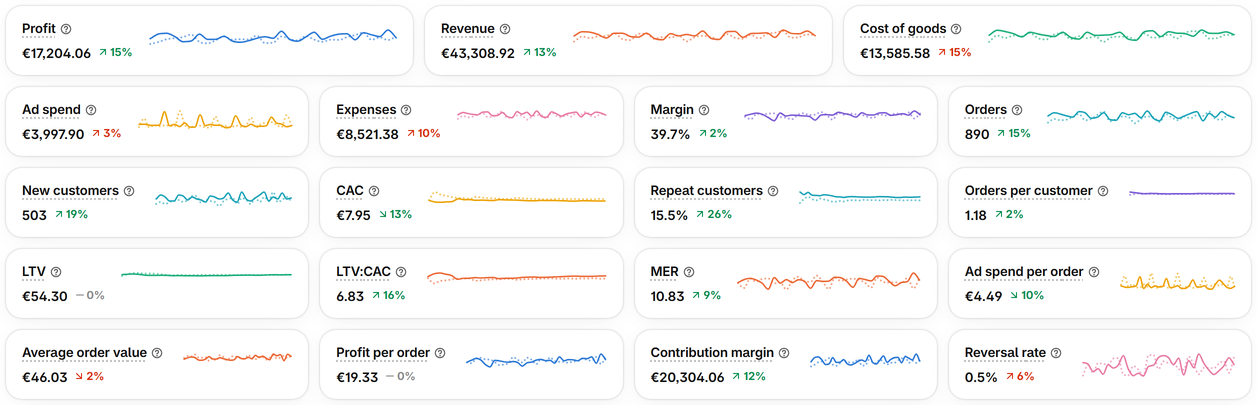
Ad spend comes off profit on the day it was spent. On the Profit page, Ad spend, MER, CAC and Ad spend per order sit beside your profit.