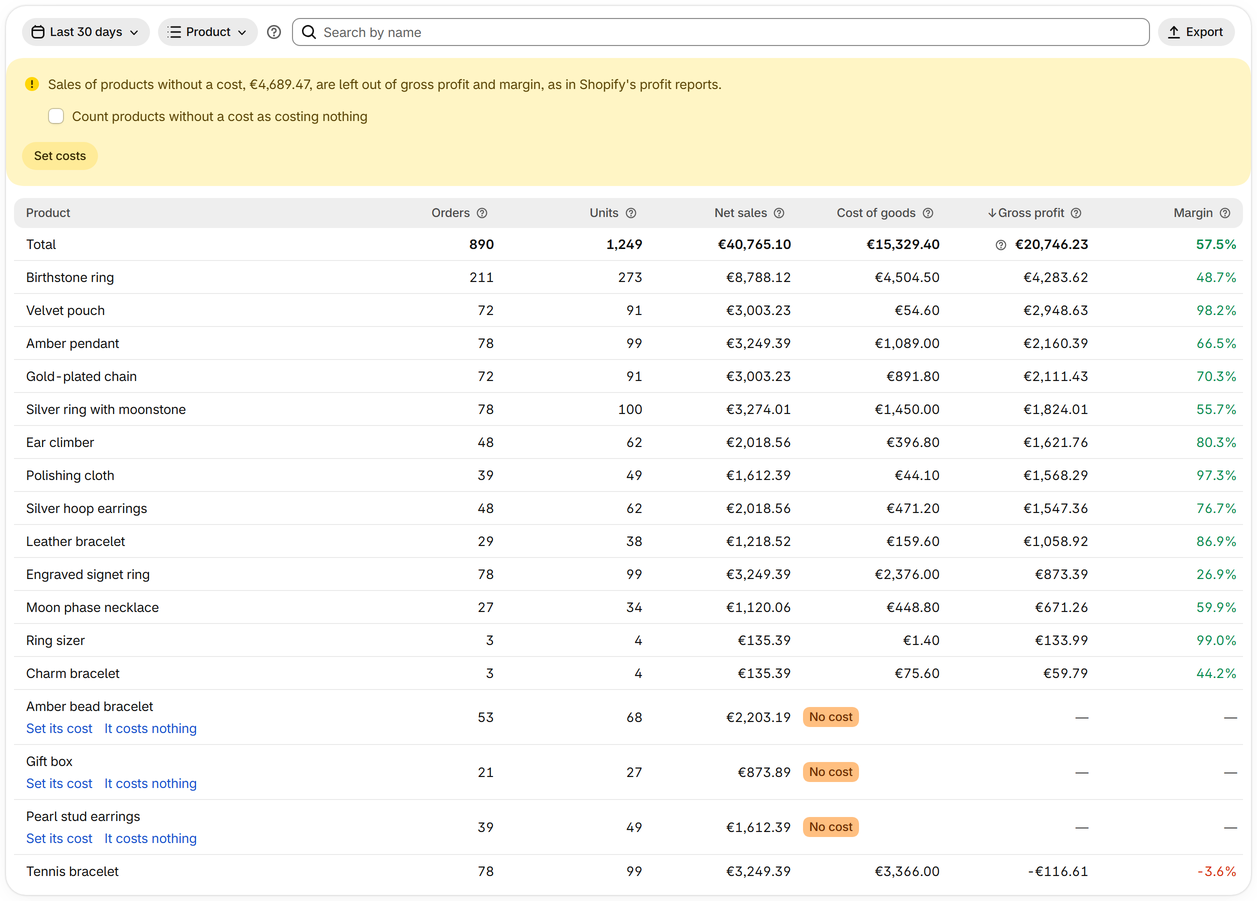
Get your product costs right
Profit is only as right as the cost of goods: where costs come from, and how to fill the gaps.
-
Step 1
Start from Shopify's cost per item
Set the cost per item on each product in Shopify. Sharpsum counts the cost Shopify recorded when an item sold, so changing it later doesn't rewrite past profit.
-
Step 2
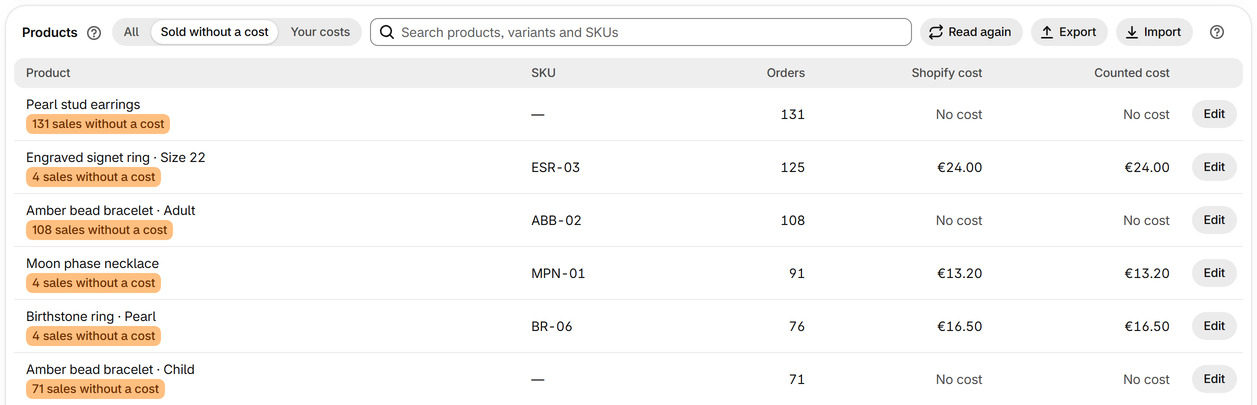
Find what sold without a cost
On Product costs, choose Sold without a cost above the list. Those products count with no cost on the Profit page, so profit reads too high until they have one.
-
Step 3
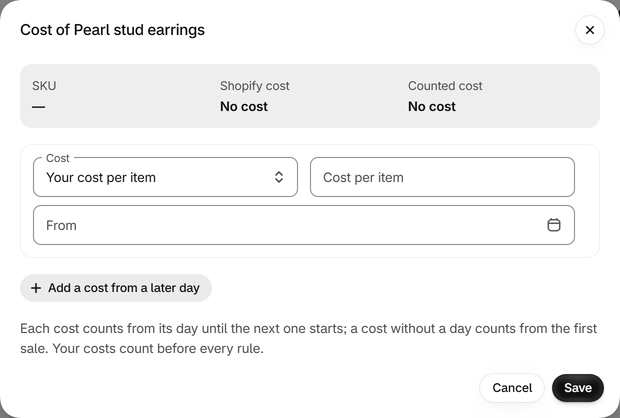
Give a variant your own cost
Press Edit on its row and set your cost per item, or add an amount or a percentage to Shopify's cost. A cost without a day counts for every sale, past ones too; a cost with a day counts from that day.
-
Step 4
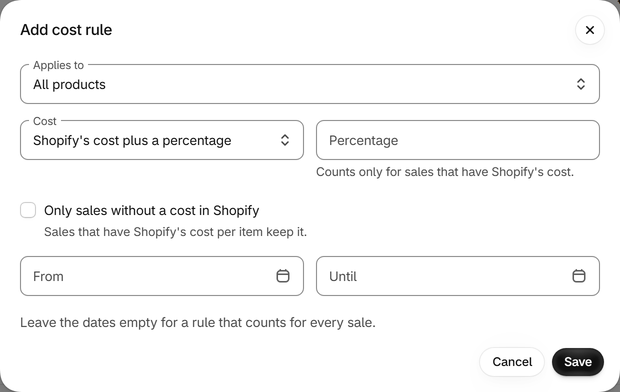
Cover many products with a rule
A cost rule sets or changes the cost of all products, or of some product types, vendors, tags or collections, on the days you choose. The first rule that covers a sale counts, and a variant's own cost counts before every rule.
-
Step 5
Fill in many costs from a file
Export the file of every variant, fill in Your cost, and From where a cost starts later than the first sale, then import it. Variants are found by Variant ID or SKU.

-
Step 6
Mark what really costs nothing
For a free gift or a digital download, press It costs nothing on its row in Reports. To count every product without a cost as costing nothing, tick Count products without a cost as costing nothing there.